The 1.1 MB JavaScript Bundle, Itemised and Deleted
Related service: Technical SEO audit and Core Web Vitals
A 1.1 MB JavaScript bundle shipped on every page of this site. Lighthouse counted 71% of it as unused.
JavaScript bundle size hurts performance through parse, compile and execute on the main thread.
Download time is not the problem.
On this page
After the rebuild, script evaluation fell from about 1 second to about 110 milliseconds.
The theme shipped a single file called plugins.min.js. 1.1 MB, minified, on every page.
What was in the bundle?
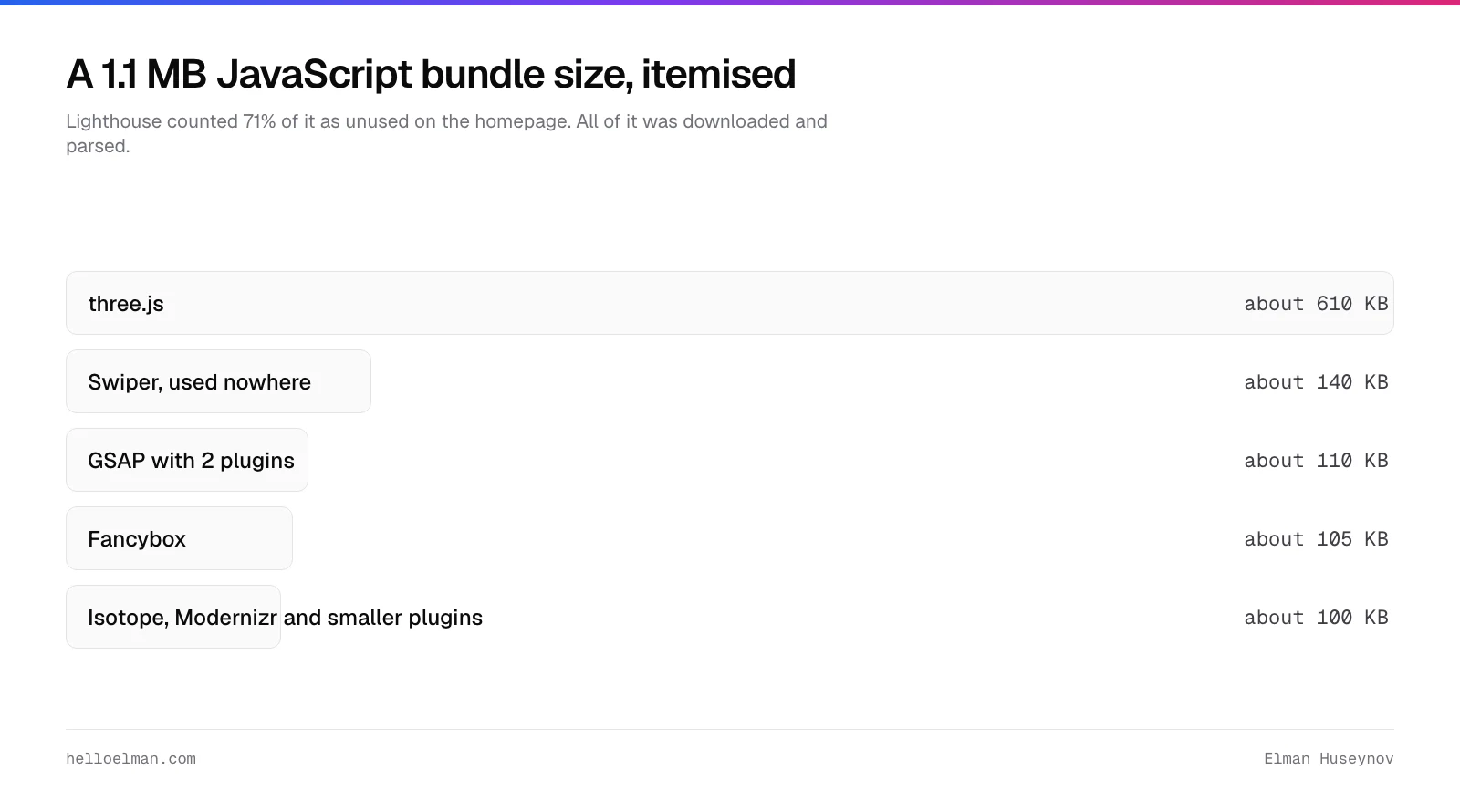
Four large libraries and a tail of small ones. three.js at about 610 KB, for a rotating shape on 1 page.
Swiper at about 140 KB, for a carousel used on no page at all.
GSAP at about 110 KB, for fade-ins CSS does natively. Fancybox at about 105 KB.
The last 100 KB held Isotope, Modernizr, a smooth-scroll library and smaller plugins.
| Library | Size | Used for |
|---|---|---|
| three.js | about 610 KB | A rotating shape on 1 page |
| Swiper | about 140 KB | A carousel, on no page |
| GSAP with 2 plugins | about 110 KB | Fade-ins that CSS does natively |
| Fancybox | about 105 KB | An image lightbox on the portfolio |
| the rest | about 100 KB | Isotope, Modernizr, smooth scroll, smaller plugins |
jQuery 3.1.1, a 2016 release, loaded separately.
Lighthouse counted 71% of that bundle as unused on the homepage.
The unused 71% was still downloaded and parsed, on every visit, on every device.
What does a JavaScript bundle size like that cost?
Main-thread time, not download time.
Parse, compile and execute all run on the thread that paints your page.
While the phone is compiling three.js, it is not rendering your headline.
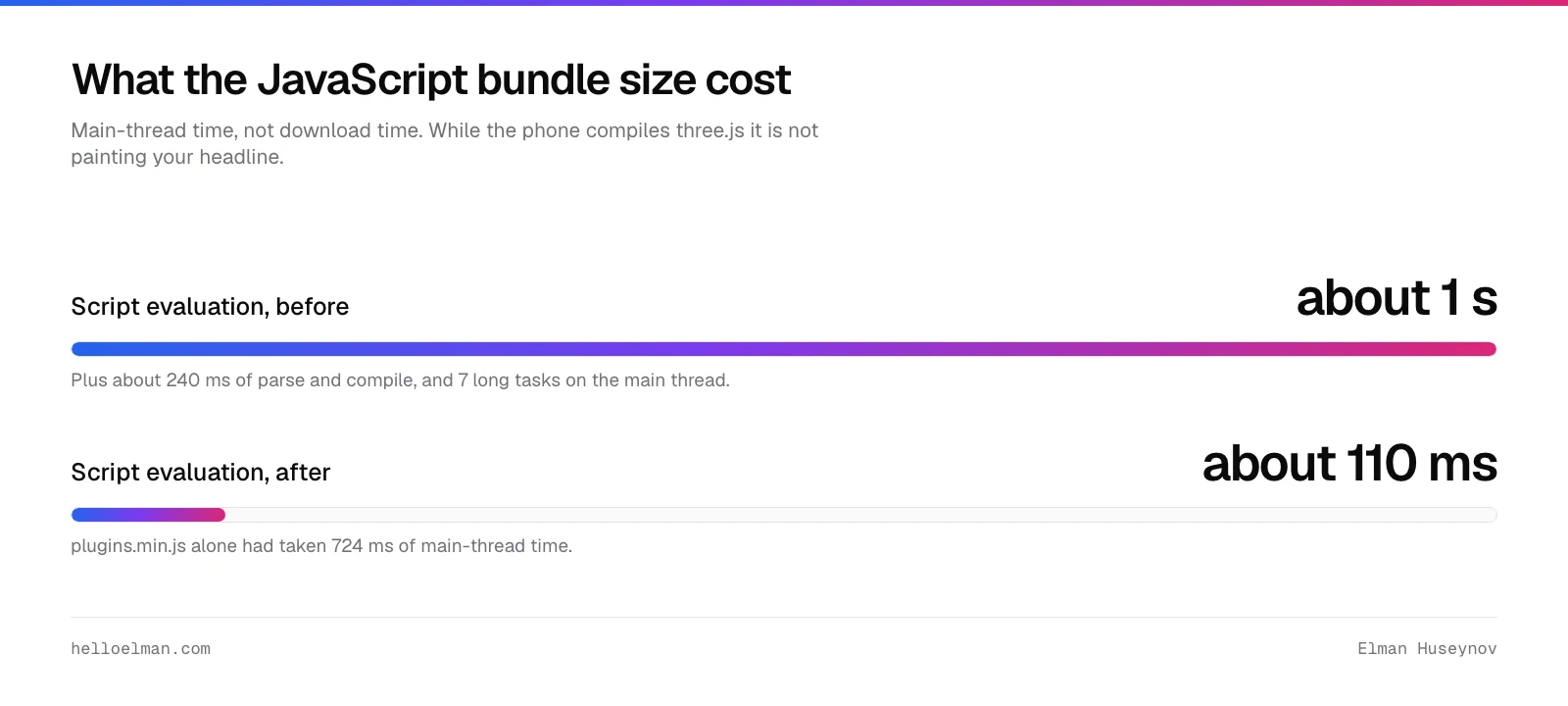
On Lighthouse’s throttled mobile run, plugins.min.js alone took 724 ms of main-thread time.
The whole homepage spent about 1 second on script evaluation.
- About 1 s of script evaluation.
- About 240 ms of parse and compile.
- 7 long tasks on the main thread.
First contentful paint on that run was 9.5 seconds.
What did I delete, and what replaced it?
Almost all of it. three.js, the smooth-scroll library, the unused carousel, the custom cursor and the preloader went entirely.
GSAP became 15 lines of IntersectionObserver plus a CSS transition. That is under 1 KB, and it respects reduced motion.
The lightbox stayed, loaded only on the portfolio pages that use it.
@media (prefers-reduced-motion: no-preference) {
  .reveal {
    opacity: 0;
    transform: translateY(12px);
    transition: opacity 400ms, transform 400ms;
  }
  .reveal.is-in { opacity: 1; transform: none; }
}
The smooth-scroll library
Native scrolling is smooth, accessible, and works with the keyboard.
Native scrolling also does not fight the browser’s scroll anchoring.
The smooth-scroll library made scrolling worse in a way that looked intentional.
The custom cursor
The custom cursor broke on touch, and it hid the real cursor’s state.
The custom cursor also cost main-thread time on every mouse move.
The preloader
A spinner that hides a page until everything loads makes the page slower.
A spinner makes the perception worse too.
How do you avoid rewriting the pages that need the libraries?
By making the theme decide per request which front-end to serve.
New templates get the light one. The 2 legacy portfolio templates keep the old stack. That decision took a day.
Rewriting the portfolio would have taken weeks and produced the same score. Those 2 pages are not where the traffic goes.
The numbers after
| Metric | Before | After |
|---|---|---|
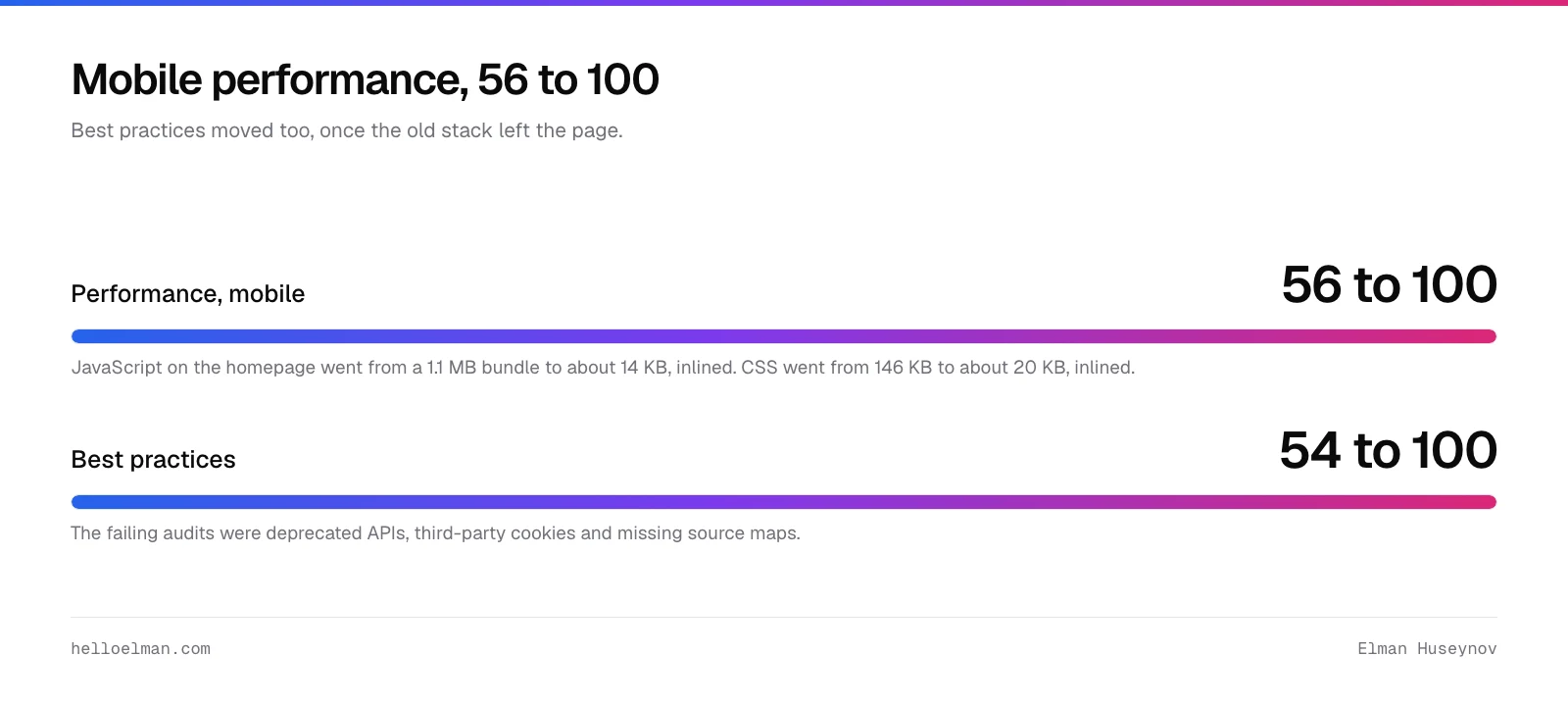
| JavaScript, homepage | 1.1 MB bundle | about 14 KB, inlined |
| CSS, homepage | 146 KB | about 20 KB, inlined |
| Script evaluation | about 1 s | about 110 ms |
| Mobile performance | 56 | 100 |
| Best practices | 54 | 100 |
Best practices went to 100 once the old stack left the page.
The failing audits were deprecated APIs, third-party cookies and missing source maps.
The legacy templates run on the copy of jQuery that WordPress core ships.
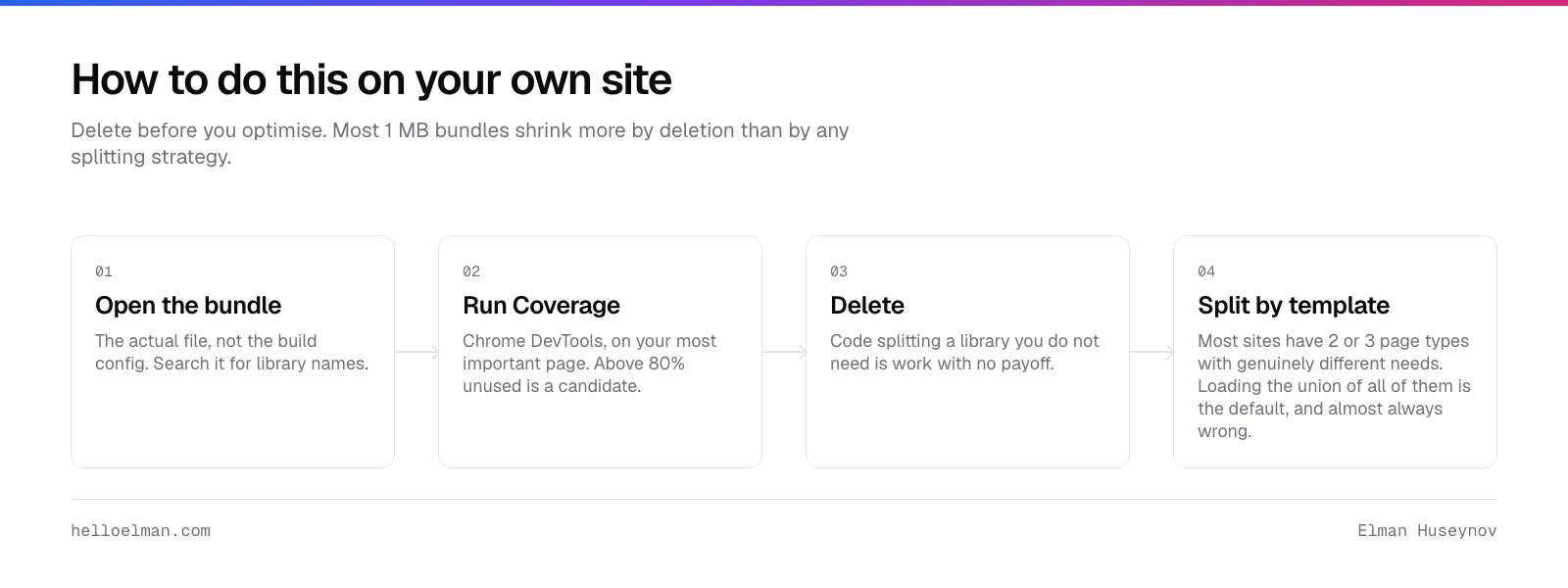
How do you do this on your own site?
Open the actual bundle file, not the build config, and search for library names.
Run Chrome DevTools Coverage on your most important page next.
Anything above 80% unused is a candidate for deletion or conditional loading.
Delete before you optimise, and split by template rather than by route alone.
Most sites have 2 or 3 page types with genuinely different needs.
Loading the union of all of them on every page is the default. It is almost always wrong.
The uncomfortable part
None of this was clever. It was reading a file and deleting things.
The bundle got that way one merge at a time, over years. Nobody was responsible for the total.
One merge at a time is how every 1 MB bundle happens.
The fix is usually an afternoon of deletion rather than a rewrite.
Common questions
Does bundle size still matter on a fast connection?
Yes, because the cost is main-thread time rather than download time. A fast network does not make the phone’s CPU faster. On Lighthouse’s throttled mobile run, this bundle took 724 ms of main-thread time. Download finishes first and the page is still blocked behind the work that follows it.
Should you code-split instead of deleting?
Delete first, split second. Code splitting a library you do not need is work with no payoff. It leaves the maintenance burden in place. Ask whether the feature earns its size before you engineer around the size. Most 1 MB bundles shrink more by deletion than by any splitting strategy.
Can you replace GSAP with CSS for everything?
For fades, translates and scroll reveals, yes. About 15 lines of IntersectionObserver covers the trigger. Timeline sequencing, morphing and physics still need a library. Check what your site actually animates before assuming you need one. Most marketing sites use 2 effects out of the whole API.
Why did best practices jump from 54 to 100?
Best practices rose because the old stack left the modern pages. The failing audits were deprecated APIs, third-party cookies and missing source maps. The legacy templates that still need jQuery now run on the copy WordPress core ships. That copy is current. The bundle just had to be split by template.
How do you reduce JavaScript bundle size?
Look at what is in it first, with a bundle analyser, not by guessing. Animation and utility libraries are usually the largest single items. Deleting one library beats code-splitting the same library. CSS replaces most scroll and hover animation at zero JavaScript cost.
The short version
1.1 MB, of which Lighthouse counted 71% as unused. Deleting it was part of the work that took mobile performance from 56 to 100.
Best practices went from 54 to 100.
Open your bundle. Run the coverage tool. Delete first, optimise second, and split by template so the heavy pages stay heavy alone.
The full teardown is in how I took a WordPress site to 100 in Lighthouse.
To have it done to yours, book a Core Web Vitals audit. It comes back ranked by what actually moves the score.