Core Web Vitals for People Who Did Not Build the Site
Related service: Technical SEO audit and Core Web Vitals
Core Web Vitals explained: 3 numbers that measure how a page feels to a visitor.
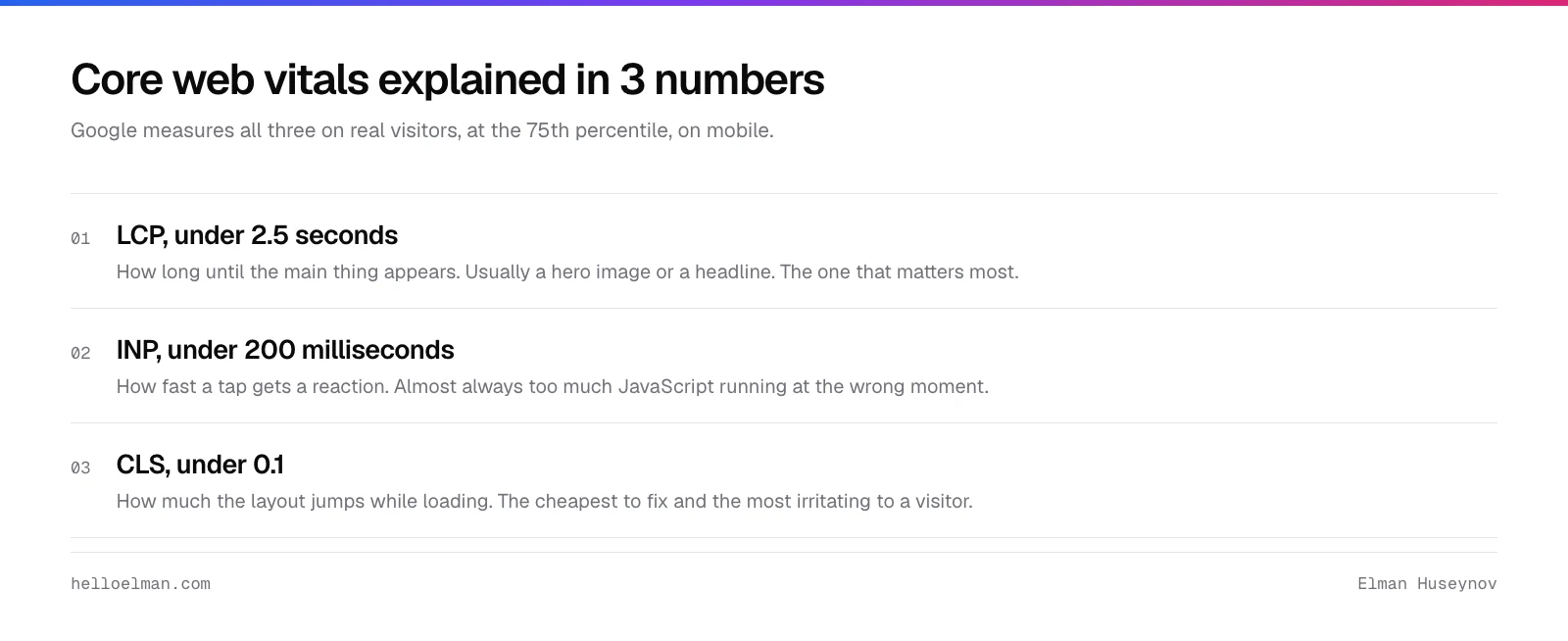
LCP is how long until the main thing appears. INP is how fast a tap gets a reaction. CLS is how much the layout jumps.
On this page
Google judges you on field data from real visitors. Not on the lab score your agency quotes.
Someone sent you a report with red numbers. The agency that built your site says it does not matter.
The agency is partly right, which is what makes this hard to argue.
What the 3 core web vitals mean
Largest Contentful Paint (LCP)
How long until the main thing appears, usually a hero image or a headline. Under 2.5 seconds.
LCP matters most. It is also the one most often broken by something avoidable. A cache plugin lazy-loading the hero, say.
Interaction to Next Paint (INP)
When someone taps a button, how long until the page visibly reacts. Under 200 milliseconds.
Almost always too much JavaScript at the wrong moment. Chat widgets, tag managers, analytics, cookie banners.
Cumulative Layout Shift (CLS)
How much the page jumps around while loading. Under 0.1.
Images without dimensions, ads inserted after load, fonts swapping. Cheapest to fix, most irritating to a visitor.
Lab data vs field data
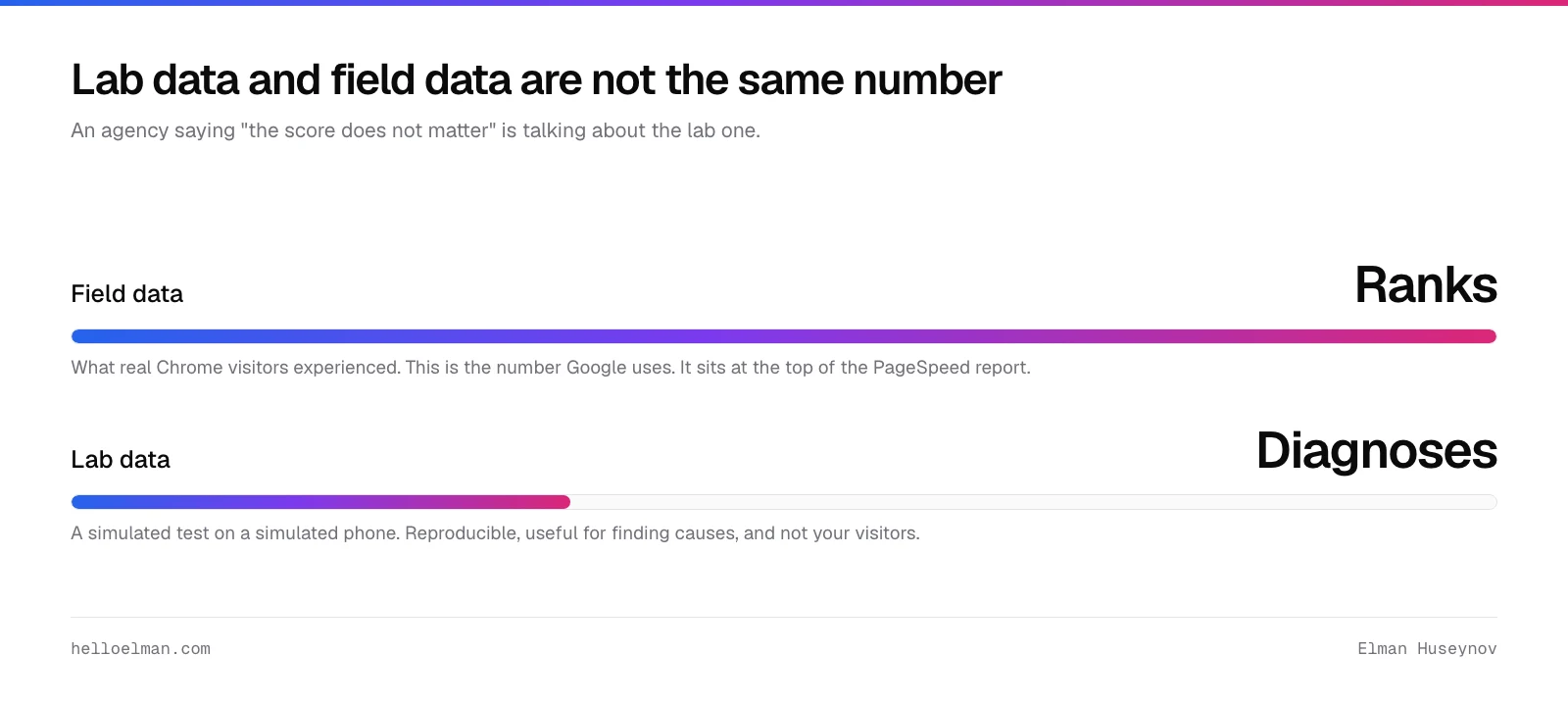
Lab data is a simulated test on a simulated phone. That is a Lighthouse score.
Reproducible, useful for finding causes, not your visitors.
Field data is what real Chrome users experienced on your site. Google uses this one for ranking.
An agency saying “the score does not matter” has a point about the lab number. It does not apply to the field data.
Ask about the field data specifically and the conversation changes.
How do you check core web vitals in 10 minutes?
Put your URL into pagespeed.web.dev. The top section, if it appears, is field data. Read it first.
No field data means Google has not collected enough traffic from your site. That is itself worth knowing.
Check mobile, not desktop. Almost every site is worse on mobile. People look at desktop because the numbers are nicer.
Check 3 page types: the homepage, a product page, and the page people convert on. They score differently.
Search Console’s Core Web Vitals report shows the trend and groups pages by problem. Bring that one to the meeting.
What should you ask whoever built the site?
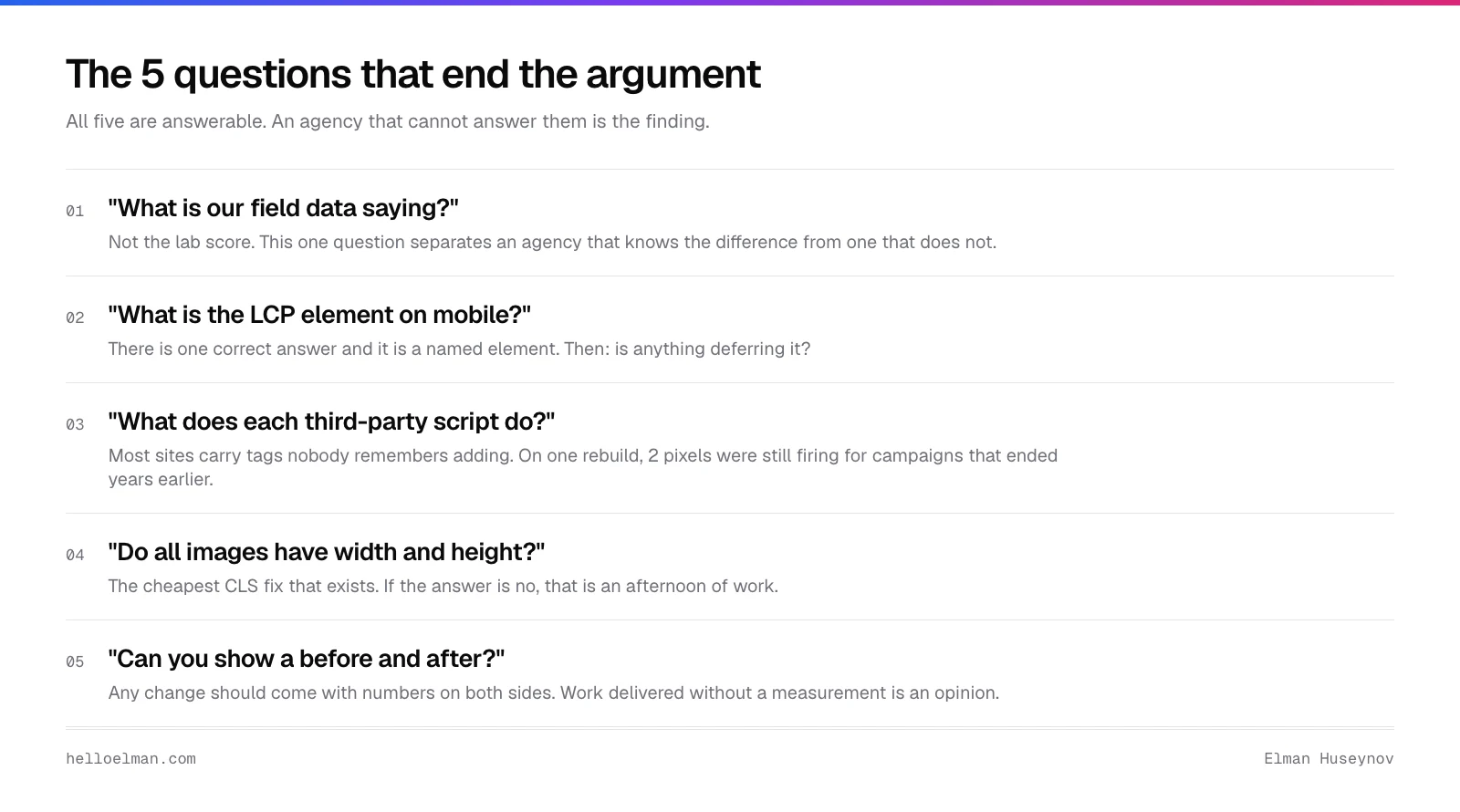
“What is our field data saying, not the lab score?” Separates an agency that knows the difference from one that does not.
“What is the LCP element on mobile, and is anything deferring it?”
There is one correct answer, and it is a named element on the page.
“How much third-party JavaScript are we loading, and what does each one do?”
“Do all our images have width and height set?” The cheapest CLS fix that exists. If not, that is an afternoon of work.
“Can you show me a before and after measurement?” Work delivered without a measurement is an opinion.
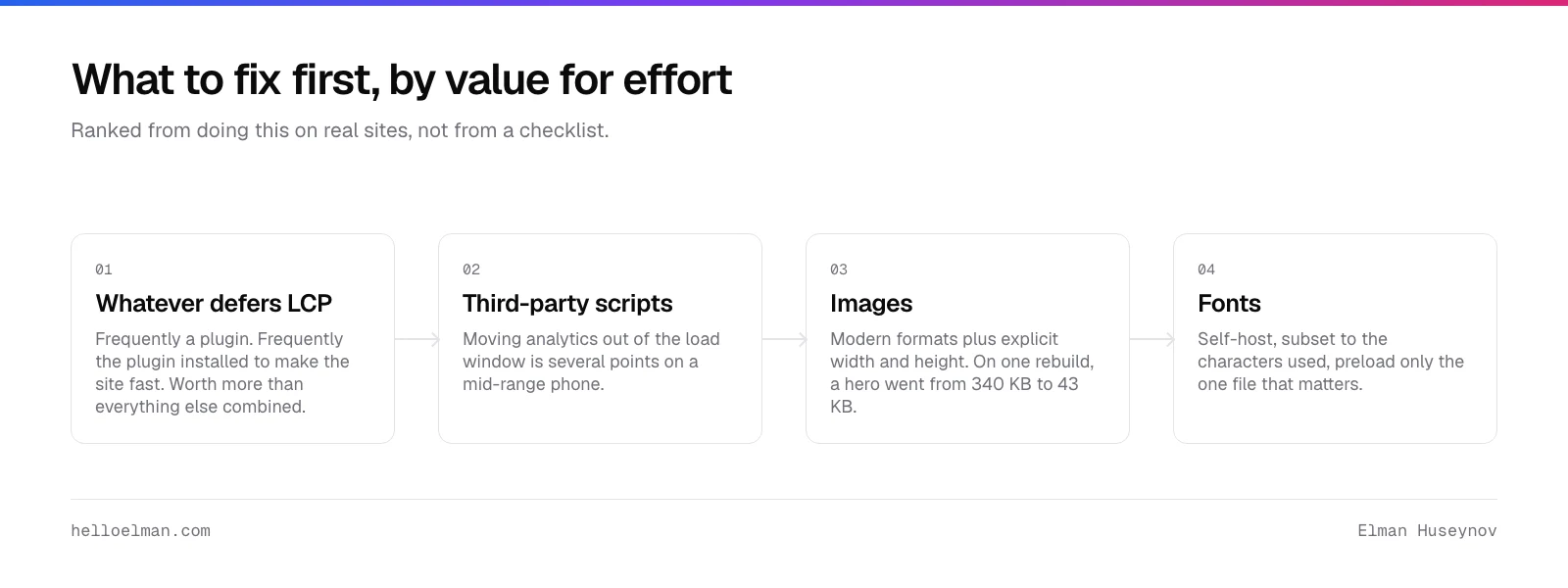
How do you pass the core web vitals assessment?
Whatever is delaying the LCP element.
Frequently a plugin, frequently the one installed to make the site fast. Worth more than everything else combined.
Third-party scripts loading during page load.
Moving analytics out of the load window is often several points. A real improvement on a mid-range phone.
Image formats and dimensions. On one rebuild, the hero went from 340 KB to 43 KB.
Fonts. Subset them to the characters used, self-host, preload only the one file that matters.
The full teardown is in how a WordPress site got to 100.
How important are core web vitals?
A score of 85 is not a crisis. The thresholds are pass or fail, not a leaderboard.
Core Web Vitals are a weak ranking signal next to content. The score swings between runs; ask for 3.
Where the agency is usually wrong: failing field data on mobile.
Failing field data is real people waiting, and no score argument makes it go away.
Common questions
What is a good LCP score?
Under 2.5 seconds on mobile field data, measured at the 75th percentile of real visits. Between 2.5 and 4 seconds needs improvement, and above 4 fails. Check the field number rather than the lab one. The lab test runs on a simulated phone that nobody owns.
Do Core Web Vitals affect Google rankings?
Yes, and weakly, and content beats them comfortably. The bigger return is fewer people leaving before the page paints. And a site that works on a mid-range phone on mobile data. Fix them so visitors stay. Check the field data in the Core Web Vitals report in Search Console.
Why does my Lighthouse score change every time I run it?
Lighthouse is a simulated test on a real network, and some metrics are noisy. First contentful paint and LCP are stable. Speed Index swings by seconds. Run it 3 times before you believe anything, and never measure during a deploy.
What if PageSpeed Insights shows no field data?
Your site does not have enough traffic for Google to have collected it. That is itself worth knowing. Use the lab score to find causes. Fix the obvious things: the LCP element, image sizes, and third-party scripts. Then check again once traffic grows.
What are core web vitals?
Three measurements Google takes from real visitors. LCP is how long until the main content appears. INP is how quickly the page reacts to a tap. CLS is how much the layout jumps while loading. They come from field data, not from the lab score an agency quotes you.
The short version
LCP is when the main thing appears. INP is how fast the page reacts to a tap. CLS is how much it jumps.
Field data is what Google uses. Lab scores are for finding causes. Check both, on mobile, on 3 page types.
Ask what the LCP element is and what is deferring it. Ask what every third-party script does. Ask for a before and after.
To have the numbers measured and ranked, book a Core Web Vitals audit. Live scores for 3 sites are on that page.